Product Demo Video Production
YourFare — Restaurant Order Management for Third-Party Delivery
Read Full Transcript of This Video
Transcript: YourFare — Restaurant Order Management for Third-Party Delivery
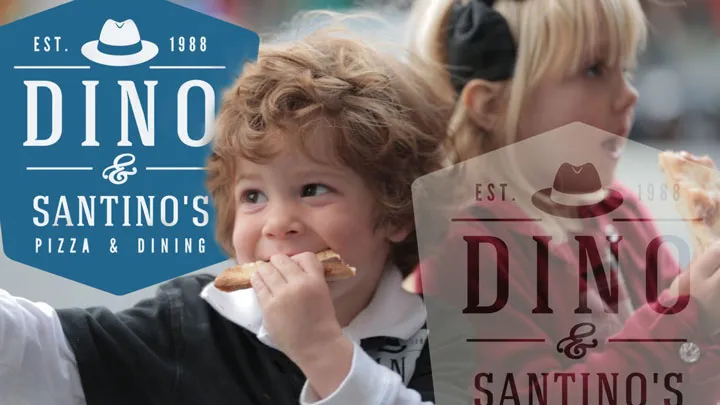
This is Dino's, one of San Francisco's favorite neighborhood pizza places for over 28 years. Dino has literally taken almost a million orders since he first opened, and back in the day the process was simple. Customers call in to place their order, he makes their pizza, and it gets delivered.
But now his customers are ordering online, using apps like Grubhub, Caviar, and E24. While Dino appreciates the increase in business, trying to manage all of the orders coming in from all these different services causes problems, and puts added stress on the managers and staff.
And doing the accounting, tracking orders at the end of the night and adding up the totals, can be a nightmare. And the hardest, and most inconvenient part of it all is that each platform gives Dino their own tablet that he has to use.
Your Fair is an all-in-one platform that lets you manage all of your third-party ordering services seamlessly from a single device.
It lists all of your orders on a single screen and updates in real time.
As the restaurant manager, you simply confirm the orders as they come in, and mark the orders as complete when they go out. At the end of the night, the accounting is automatically done for you. You can see how many orders came from each service, and other things like total amounts of taxes.
Your fair also tracks customers' ordering habits in the customer loyalty page. You can see who your best customers are, how often they order, and how much they spend.
You can see a complete order history and use that to keep your best customers coming back. Because your fair captures the customer's info automatically, like their address and phone number.
Your fair is truly a seamless and advantageous consolidation of all your third-party ordering services into one platform, and one device.
For a demo or for more information, contact us online at yourfairinc.com.
About This Video
Dino runs a pizza restaurant in San Francisco — over 28 years in the business, roughly a million orders. When online delivery apps arrived, they created a new problem: Grubhub had its own tablet, Caviar had its own tablet, E24 had its own tablet. Three separate screens, three separate systems, no unified view. YourFare consolidates all third-party ordering platforms into a single screen with real-time updates. Orders come in, Dino confirms them as they arrive, and the accounting is handled automatically at the end of the night. The platform also includes a customer loyalty page. For <span class="strong">product demo video production</span> in the restaurant tech space, a real operator describing a real chaos problem — and then showing how the platform resolved it — is more persuasive than any feature list. Dino's 28-year context makes the before-and-after credible.
How do you produce a product demo video for a restaurant technology platform?
Put a real operator in front of the camera describing the problem the platform solves. A restaurant owner who has run the same business for 28 years and processed a million orders carries credibility that a narrator doesn't. The demo format that works here is: operator describes the chaos before (three tablets, three systems, no unified view), then shows how the platform consolidates it. The product features emerge from the workflow, not from a slide. Accounting automation, real-time confirmations, and loyalty features land differently when they're explained by someone who needed them versus a voiceover that lists them.
What should a restaurant order management software demo include?
The specific chaos it replaces, the workflow it creates, and a clear description of what the operator does differently now. 'YourFare consolidates all third-party ordering into a single screen with real-time updates' is useful — but it's more useful when the viewer has already heard Dino explain that he had three different tablets from three different platforms with no way to see all of them at once. The problem has to be vivid before the solution feels significant.
How do you use customer testimonials in a restaurant tech product demo video?
Let the customer do the selling. A product testimonial from a restaurant operator works as a demo when the operator describes the product workflow in enough detail that a prospective customer understands what using it looks like. 'Orders come in, I confirm them as they come in, and then accounting is automatically done at night' is a demo. 'It's great and easy to use' is not. Film the operator at their restaurant, in their context, describing their actual workflow — the environment grounds the credibility.
How long should a restaurant technology product demo video be?
Ninety seconds to two and a half minutes for a testimonial-driven demo. Long enough for the operator to establish context, describe the problem, walk through the solution, and close with a URL or call to action. Short enough to hold a prospective buyer's attention on a product page or in a sales email. For restaurant technology, the buyer is often a busy owner or manager evaluating tools under time pressure — keep the video tight and let the operator's specifics do the work.